
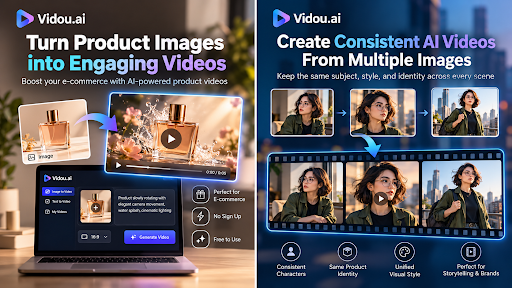
Ecommerce brands already invest heavily in product photography. A good product page may contain hero shots, close-ups, lifestyle images, color variations, detail photos, and images created specifically for advertising. Traditionally, turning those assets into video meant starting an entirely new production process.
AI image-to-video technology is changing that workflow.
Instead of filming every product again, ecommerce teams can use an existing product image as the visual starting point and generate a short video by describing how the scene, camera, lighting, or product should move.
A single still image of a sneaker, watch, cosmetic bottle, chair, handbag, or electronic device can potentially become a short motion asset for a product page, social post, advertisement, email campaign, or marketplace listing.
The opportunity is not simply to “make photos move.” The real value is being able to extract more marketing material from product assets a business has already created.
However, effective product animation requires restraint. AI-generated movement can make an image more engaging, but too much motion can distort the product, change important details, or make an otherwise premium product presentation look artificial.
The best results usually come from combining strong source photography, controlled movement, clear prompts, and a format designed around the channel where the finished video will appear.
What Is AI Image-to-Video for Ecommerce?
AI image-to-video generation uses a static image as the visual reference for a short generated video.
The source image establishes much of the scene:
- the product
- colors
- composition
- background
- lighting
- perspective
- surrounding objects
A text prompt then tells the model what should happen over time.
For example, instead of asking an AI system to recreate a luxury watch from scratch, a merchant could upload the existing watch photograph and request:
Slow camera push toward the watch, subtle reflections moving across the metal surface, soft studio lighting, product remains centered and unchanged.
The photograph provides the visual identity. The prompt mainly defines motion.
That distinction is especially important in ecommerce.
With text-to-video generation, the AI must invent both the subject and its movement. With image-to-video generation, the seller can begin with an approved visual asset and focus primarily on animating it.
This makes image-to-video particularly useful when product appearance matters.
Why Ecommerce Brands Are Turning Product Photos Into Video
Online shoppers cannot physically inspect an ecommerce product.
They rely on visual information to understand details such as:
- shape
- texture
- materials
- scale
- finish
- design
- construction
- product features
Photography remains essential, but video introduces another visual dimension: time.
Movement can help reveal reflections on polished surfaces, show the relationship between foreground and background, emphasize depth, or guide attention toward an important product feature.
Short videos are also useful beyond product pages.
One product image can potentially become creative for:
- Instagram Reels
- TikTok
- YouTube Shorts
- paid social advertising
- product landing pages
- website hero sections
- email marketing
- retargeting campaigns
- launch announcements
- organic social posts
- display campaigns
The same core photography investment can therefore support multiple content formats.
For smaller ecommerce businesses, this can be particularly useful because continuously filming new video creative may not be practical.
AI does not eliminate professional product photography or videography. It adds another production option between completely static imagery and a traditional video shoot.
Start With the Product Photo, Not the AI Prompt
One of the biggest mistakes in AI image-to-video workflows is spending too much time improving the prompt while ignoring the source image.
The source image strongly influences what the model has to work with.
For ecommerce, the best starting image usually has:
A clearly visible product
The main item should not be hidden behind props, hands, packaging, or excessive foreground objects.
If the AI cannot clearly distinguish the product from its surroundings, generated movement may become less predictable.
Good lighting
Strong product photography already communicates shape and material through lighting.
A well-lit object gives the model clearer information about edges, depth, highlights, shadows, and reflective surfaces.
Enough resolution
Small or heavily compressed images contain less useful visual information.
For best results, start with the cleanest available version of the product image instead of downloading a compressed copy from a social network.
Clean composition
Complex scenes create more opportunities for visual inconsistencies.
If the goal is a product-focused marketing clip, a simple studio photograph often provides greater control than a crowded lifestyle scene.
Accurate product details
AI animation should begin with the correct product version.
Check labels, logos, colors, controls, packaging, stitching, hardware, and other important details before generating anything.
An AI model cannot protect brand accuracy if the original asset is already wrong.
Product Motion and Camera Motion Are Different
A useful way to think about image-to-video generation is to separate two types of movement.
1. Camera motion
The product can remain mostly stationary while the virtual camera moves.
Examples include:
- slow push-in
- gradual zoom-out
- horizontal pan
- slight tilt
- subtle orbit
- parallax movement
For ecommerce, camera motion is often the safer starting point because it can create visual energy without requiring the AI to significantly change the object itself.
2. Object or environmental motion
The product or something around it moves.
Examples include:
- fabric moving gently
- liquid flowing
- steam rising
- packaging rotating
- leaves moving in the background
- light shifting across a reflective surface
This can create more dramatic results, but it also gives the model more opportunities to alter the product.
For items where visual accuracy is critical, start with camera movement before requesting complex object animation.
A Practical Product-Photo-to-Video Workflow
A reliable ecommerce workflow can be broken into six stages.
Step 1: Choose the Marketing Goal
Do not begin by asking, “What cool animation can we create?”
Start with:
Where will this video be used?
A homepage hero needs different movement from a TikTok creative.
An advertisement may need an immediate visual hook, while a product-page video may benefit from slower, more controlled movement.
Possible goals include:
- attract attention
- highlight craftsmanship
- showcase a premium finish
- introduce a new product
- create variation for advertising
- support a seasonal campaign
- add movement to a product page
Defining the use case helps determine everything that follows.
Step 2: Select the Strongest Product Image
Choose the photograph whose composition already supports the desired motion.
For example:
A front-facing cosmetic bottle may work well with a slow push-in.
A shoe photographed at a three-quarter angle may support subtle camera orbiting.
A sofa in an interior scene may benefit from gentle parallax between the furniture and room.
Jewelry may work particularly well with controlled lighting movement that creates subtle reflections.
Do not force every image into the same animation style.
Step 3: Match the Aspect Ratio to the Channel
Video dimensions should be decided before final distribution whenever possible.
Common formats include:
- 9:16 for vertical short-form video
- 16:9 for horizontal website and video use
- 1:1 for square social placements
- 4:3 for certain traditional or presentation layouts
- 3:4 for portrait-oriented content
A common mistake is creating a horizontal product composition and later aggressively cropping it into a vertical video.
That can remove parts of the product or destroy the original composition.
Ideally, select an image whose framing already fits the intended output.
Step 4: Write a Controlled Motion Prompt
A useful product-animation prompt usually answers several questions:
What moves?
How does it move?
What should the camera do?
What should happen to the lighting or environment?
What must remain stable?
For example:
Slow cinematic push toward the perfume bottle, subtle highlights moving across the glass, soft shadows, luxury studio lighting, bottle remains centered and unchanged.
Compare that with:
Make this product look amazing and cinematic.
The second prompt provides far less control.
A useful prompt structure
A simple formula is:
Subject + motion + camera behavior + environmental movement + visual style + stability instruction
For example:
White running shoe remains stationary while the camera slowly moves from left to right, subtle studio-light reflections across the surface, clean commercial product photography style, preserve the shoe shape and details.
Natural language is usually sufficient. The goal is clarity, not filling the prompt with technical vocabulary.
Step 5: Generate Several Variations
AI video generation is probabilistic.
Even when the starting image and prompt remain the same, different generations can produce different motion.
That means ecommerce teams should treat the first output as a candidate rather than automatically considering it final.
Generate multiple versions and compare them.
Look for:
- product consistency
- believable movement
- stable edges
- accurate branding
- natural lighting
- smooth camera motion
- background stability
- usable beginning and ending frames
A subtle version that preserves the product may be more commercially valuable than the most visually dramatic version.
Step 6: Perform a Product-Accuracy Review
Before publishing an AI-generated ecommerce video, compare it directly with the original product.
Inspect:
Logos
Did letters change?
Packaging
Did labels or printed information become distorted?
Product geometry
Did a button, strap, zipper, handle, port, wheel, or component change shape?
Colors
Did the AI shift the actual product color?
Materials
Does metal still behave like metal? Does glass remain transparent? Does fabric retain a believable texture?
Quantity
Were extra components added?
Background
Did new objects appear unexpectedly?
These checks are particularly important when a video may influence a purchase decision.
Creative motion should not become inaccurate product representation.
Using Vidou.ai for a Fast Image-to-Video Workflow
For merchants experimenting with this workflow, reducing setup friction makes testing easier.
Vidou.ai provides a browser-based workflow where users can upload a static image and describe the motion they want using natural language. Its current image-to-video experience supports common image formats such as JPG, JPEG, PNG, and WebP and is designed around turning a still image into a short motion sequence.
For someone who wants to experiment before building a larger production workflow, an AI Image to Video Generator Free No Sign Up can make it possible to test product images without beginning with a complicated editing setup.
A practical test might look like this:
- Upload a clean product image.
- Describe one simple camera movement.
- Add one lighting or environmental instruction.
- Generate the clip.
- Compare the result with the original product.
- Adjust the prompt instead of adding excessive movement.
- Export the strongest version for further editing or publishing.
The important principle is iteration.
Image-to-video generation works best when treated as a creative production process rather than a one-click replacement for conventional video.
Product Categories That Work Particularly Well
Different ecommerce categories benefit from different types of motion.
Fashion
Clothing can benefit from:
- subtle fabric movement
- slow camera movement
- atmospheric background motion
- controlled depth effects
However, aggressive animation may alter stitching, buttons, prints, or garment structure.
Jewelry and Watches
Small lighting changes can dramatically change how polished materials appear.
Useful effects include:
- gradual push-ins
- moving reflections
- shallow-depth visual effects
- restrained camera orbiting
Because jewelry contains small geometric details, consistency should be checked carefully.
Beauty and Cosmetics
Cosmetic packaging often has strong visual branding and simple geometry, making it suitable for clean product animation.
Possible motion includes:
- slow rotation
- moving reflections
- soft background movement
- controlled camera push
- subtle particles or atmosphere
Labels should always be reviewed after generation.
Furniture and Home Products
Room scenes can work well with depth-based movement.
Instead of moving the furniture itself, consider:
- slow camera pans
- subtle parallax
- changing natural light
- slight movement in curtains or plants
This can make an interior image feel more immersive without changing the featured product.
Electronics
Electronics require more restraint because ports, screens, buttons, and precise geometry are important.
Camera movement is usually safer than requesting the device itself to transform or rotate dramatically.
Food and Beverage
Environmental effects may work well here.
Examples include:
- steam
- condensation
- subtle bubbles
- soft camera movement
- changing highlights
The actual packaging or food appearance still needs to remain accurate.
Example AI Prompts for Ecommerce Products
Here are several starting templates.
Luxury watch
Slow cinematic push toward the watch, subtle reflection moving across the metal and glass, dark premium studio environment, shallow depth of field, preserve all watch details.
Skincare bottle
Gentle camera orbit around the skincare bottle, soft diffused lighting, subtle shadow movement, clean minimalist beauty advertising style, bottle shape and label remain unchanged.
Running shoe
Slow side-to-side camera movement around the running shoe, subtle studio-light reflections, clean white background, realistic commercial photography, preserve exact shoe design and proportions.
Sofa
Slow camera pan across the living room, soft afternoon sunlight changing slightly, curtain moving gently in the background, sofa remains stationary and unchanged.
Coffee packaging
Slow push toward the coffee bag, gentle steam rising from a cup in the background, warm natural lighting, premium lifestyle advertising feel, preserve packaging design.
Notice the pattern.
None requires a complicated paragraph of prompt engineering.
Each simply defines the subject, desired movement, visual environment, and stability requirements.
How Much Motion Should You Add?
More movement does not automatically produce a better advertisement.
In ecommerce, the product remains the priority.
Excessive motion can distract viewers from the object they are supposed to evaluate.
A useful principle is:
Add enough motion to increase attention, but not enough to compete with the product.
Subtle camera motion can often turn a static image into something that feels cinematic without making the viewer consciously notice the animation technique.
For premium goods especially, restraint can create a more polished result.
Build Creative Variations From One Product Photo
One underappreciated benefit of AI image-to-video is creative variation.
Imagine an ecommerce brand has one professionally photographed product image.
Instead of generating one video, the marketing team could create several motion concepts:
Version A: Product page
Slow push-in with minimal movement.
Version B: Social feed
Faster camera movement with stronger visual energy.
Version C: Story or Reel
Vertical composition with an immediate motion hook.
Version D: Email campaign
Short, lightweight motion focused on the product.
Version E: Retargeting creative
Alternative camera movement or lighting treatment.
This provides multiple creative directions without requiring five separate product shoots.
It also gives performance marketers more assets to test.
AI Video Should Complement Product Photography, Not Replace It
High-quality ecommerce presentation still begins with accurate visual assets.
AI generation cannot solve:
- poor photography
- incorrect colors
- weak composition
- missing product angles
- inaccurate product information
- low-resolution source material
Traditional photography provides the visual foundation.
AI animation can extend that foundation into additional formats.
Similarly, traditional videography remains better for many situations, especially when the viewer needs to see:
- physical demonstrations
- complex product operation
- human interaction
- accurate movement
- assembly
- size comparisons
- step-by-step usage
The strongest ecommerce strategy does not need to choose between photography, AI video, and conventional video.
Each serves a different purpose.
Avoid Misleading Product Animation
AI-generated product videos should accurately represent what customers will receive.
A video should not accidentally suggest:
- a feature the product does not have
- a different color or finish
- additional accessories
- unrealistic functionality
- packaging that does not exist
- a physical transformation the real product cannot perform
If AI changes an important product characteristic, regenerate the clip or use another asset.
Visual creativity should never come at the expense of product clarity.
Creating Videos for Different Ecommerce Channels
One animation should not necessarily be published everywhere unchanged.
Product pages
Keep movement clean and informative.
Visitors are already evaluating the product, so flashy effects may be unnecessary.
Instagram and TikTok
The opening moment matters much more.
Movement should begin quickly enough to prevent the asset from feeling like a static photograph.
Paid social advertising
Create multiple variations.
Different camera movements, crops, hooks, and pacing can provide creative options for testing.
Keep the visual concept simple.
Email campaigns should direct attention toward the product and call to action rather than becoming miniature films.
Website hero sections
Consider subtle continuous-looking motion.
Large dramatic movement can become distracting when placed behind navigation, headings, or purchase actions.
How AI Image-to-Video Fits Into an Ecommerce Content Pipeline
A scalable workflow might look like this:
Product photography → image selection → image cleanup → AI motion generation → quality control → editing → channel resizing → publishing → performance analysis
This is more effective than treating AI generation as an isolated activity.
For larger catalogs, teams can even create internal rules.
For example:
- watches use subtle reflection and camera motion
- furniture uses environmental depth
- cosmetics use clean studio movement
- apparel uses restrained fabric motion
- electronics use camera-only movement
This creates a consistent visual language across product categories.
AI Search and the Future of Product Content
Product discovery is becoming increasingly multimodal.
People no longer interact with products exclusively through traditional search results. They encounter them through social feeds, recommendation systems, AI assistants, visual search tools, marketplaces, short-form video platforms, and brand websites.
That increases the importance of having product information available in multiple useful formats.
A strong product page may therefore combine:
- structured product information
- original photography
- descriptive copy
- specifications
- FAQs
- reviews
- comparison information
- video
- supporting educational content
AI-generated video is one piece of that broader content ecosystem.
For brands thinking about visibility in both search engines and generative AI systems, the goal should not be to produce AI content simply because AI content is possible.
The goal is to create clear, useful, entity-rich information around products and customer needs.
Video can strengthen that ecosystem when it adds genuine visual value.
Frequently Asked Questions
Can AI turn a product photo into a video?
Yes. Image-to-video models can use a static product photograph as the visual reference and generate short sequences containing camera, object, lighting, or environmental movement.
Do I need professional product photos first?
Professional photography is not technically required, but strong source images generally provide a better foundation. Clear composition, accurate colors, good lighting, and visible product details make quality control easier.
What is the best motion for ecommerce product videos?
There is no universal motion style, but subtle camera movement is a good starting point because it creates visual interest while reducing the amount of change applied directly to the product.
Can AI-generated product videos be used on social media?
Yes, provided you have the necessary rights to the source material and generated output. The video should also be formatted appropriately for the destination platform.
What aspect ratio should an ecommerce video use?
It depends on the channel. Vertical 9:16 works well for short-form mobile platforms, while 16:9 is useful for horizontal video and website placements. Square 1:1 can also work for certain social and advertising formats.
How can I stop an AI video from changing my product?
Use a clear source image, request restrained movement, explicitly ask for the product to remain unchanged, and generate multiple versions. Always inspect the final result closely because generative models can still introduce inconsistencies.
Should product videos use camera movement or product movement?
Camera movement is usually the safer first choice for ecommerce because the product itself can remain visually stable. Product movement can be useful when it accurately reflects the real object, but it requires more careful review.
Can one product photo create multiple marketing videos?
Yes. The same source image can be used with different motion instructions, framing, and aspect ratios to create variations for product pages, social posts, ads, email campaigns, and other channels.
Final Thoughts
AI image-to-video generation gives ecommerce teams a new way to extract more value from existing product photography.
The biggest advantage is not simply speed.
It is flexibility.
A still image that once had one purpose can become the starting point for multiple short-form visual assets across advertising, social media, websites, and product campaigns.
The most effective workflow is also surprisingly simple:
Start with a strong product image. Choose a clear marketing goal. Use restrained motion. Give the AI specific instructions. Generate several options. Check every important product detail. Then adapt the strongest result to the channel where customers will see it.
Used this way, AI image-to-video does not replace ecommerce photography or traditional video production.
It becomes another practical layer in the modern product-content workflow.