
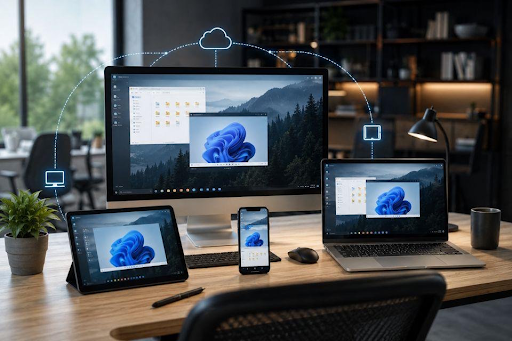
Remote desktop software has become an essential tool for work, gaming, accessing files, and managing computers from different locations. In 2026, users expect more than just seeing a remote screen. They want responsive controls, high-quality streaming, support for phones and computers, and privacy features that make remote sessions safer and more convenient. Search results for the best remote desktop software in 2026 show that there is no one-size-fits-all solution.
Some applications focus on business and IT support, while others are designed for personal access, gaming, or use across different devices. The right choice depends on what you want to achieve with your remote connection.
What Makes Remote Desktop Software Good in 2026?
A modern remote desktop application should balance performance, compatibility, ease of use, and security. Traditional business tools can be excellent for technical support and managing multiple computers, while gaming-focused platforms need to prioritize low latency and smooth video streaming.
For everyday users, several factors are particularly important:
Performance: Responsive controls and stable streaming are essential when working with applications or playing games remotely.
Compatibility: Support for phones, tablets, Macs, and Windows PCs gives users more flexibility when choosing where to connect from.
StarDesk is positioned around both gaming and productivity. Its official platform emphasizes low-latency remote access, high-quality streaming, cross-platform compatibility, and privacy controls.
Why Consider StarDesk in 2026?
StarDesk takes a slightly different approach compared to remote desktop applications focused primarily on corporate IT administration. It is designed for people who want to access their own computers for gaming, work, creative applications, and everyday tasks. For example, you could leave a powerful Windows gaming PC at home and access it from an iPhone, Android device, Mac, or another Windows computer.
How to Download and Start Using StarDesk
If StarDesk matches your requirements, getting started does not require a complicated configuration. The official download page currently provides versions for Windows, macOS, iOS, and Android. You can download StarDesk Remote and install it on the computer you want to control and the device you will use for remote access.
According to StarDesk’s beginner guide, the basic process is to install the application on both devices, sign in, and connect the client to the host using the same account. For demanding sessions, using Ethernet on the host computer and a stable Wi-Fi connection on the client can help maintain consistent performance.
Is StarDesk Suitable for Gaming?
- StarDesk is designed to support remote gaming with low-latency streaming.
- Lower latency helps make mouse, keyboard, and controller inputs feel more responsive.
- It supports game controllers for easier gameplay on compatible devices.
- Keyboard and mouse simulation allows flexible control options.
- Multi-touch controls can be useful when gaming on mobile devices.
- Custom game layouts let users adjust controls to their preferences.
- StarDesk supports streaming of up to 4K/144 FPS, depending on the setup.
Choosing the Right Remote Desktop Software
The best application depends on your specific needs. Businesses may focus more on administration, user management, and technical support features. Individual users might care more about simplicity, mobile access, gaming performance, and image quality. Current 2026 comparisons also highlight that different remote desktop products are suitable for different use cases.
FAQs
What is the best remote desktop software in 2026?
There is no single best choice. The best option depends on whether you prioritize business support, personal access, gaming, or mobile connectivity.
Is StarDesk good for gaming?
Yes. StarDesk is designed for remote gaming and supports high-quality streaming and customizable controls.
Which platforms does StarDesk support?
It supports iOS, Android, macOS, and Windows.
Does StarDesk support 4K?
Yes. It supports streaming up to 4K resolution and 144 FPS.
Conclusion
The best remote desktop software 2026 largely depends on your personal needs. Traditional solutions are still useful for business and IT support, but users who want a combination of gaming, productivity, mobile access, and high-quality streaming have different priorities.
StarDesk combines these needs with 4K/144 FPS streaming, support for iOS, Android, macOS, and Windows, and practical privacy mode controls. For people who want to access their own computer from virtually anywhere while maintaining a smooth experience for both work and gaming, it is a solution worth considering.