
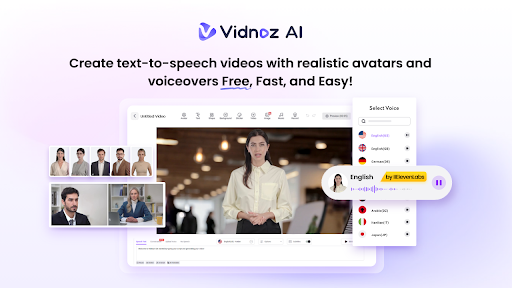
Expanding into international markets requires businesses to translate content and communicate with customers in multiple languages. However, traditional video production and professional dubbing services can be expensive and time-consuming. Vidnoz AI offers a more affordable solution with support for over 140 languages, helping companies create multilingual videos for marketing, training, sales, and customer communication. In this guide, we’ll learn everything about Vidnoz AI and how its multilingual capabilities can help international businesses reach global audiences and reduce production costs. Ensure you read this guide to the end.
Part 1: What is Vidnoz AI?
Vidnoz AI is a web-based AI video generator designed to help individuals and businesses create professional-looking videos without cameras, actors, studios, or advanced editing skills. The program supports more than 140+ languages, including English, Chinese, Spanish, Japanese, Korean, Turkish, French, German, and Portuguese. This extensive language support allows international businesses to create localized videos for customers, employees, and audiences across different regions.
The program also offers realistic AI avatars, natural-sounding voices, customizable video templates, and AI-powered translation tools. Users can simply enter a script, select an avatar and voice, choose their preferred language, and generate a complete video within minutes. Additionally, Vidnoz AI is certified with ISO/IEC 27001:2022 for Information Security Management.
Part 2: Key Vidnoz AI Features for International Businesses
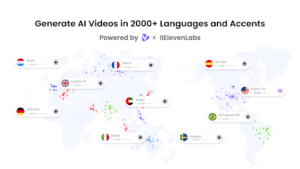
Vidnoz AI provides a wide range of AI-powered tools that help businesses create and translate videos for global audiences. Below, we have mentioned the top features of Vidnoz AI:
- Multilingual AI Voices: Vidnoz AI offers 2000+ AI voices in 140+ languages, including English, Spanish, French, Chinese, Japanese, Korean, Turkish, German, Portuguese, and more. All the voices available on this program are powered by ElevenLabs, Google, and Microsoft.
- Realistic AI Avatar: The program provides 1900+ AI avatars, such as doctors, nurses, teachers, students, customer support, hosts, and more. Plus, users can also create digital twins using Avatar Lite, and Avatar Pro offers deeper customization features. The Expressive Avatar feature adds natural facial expressions, gestures, and body movements.
- Customizable Templates: This tool offers more than 2800 pre-designed video templates for marketing, employee training, product demonstrations, sales presentations, online courses, and customer support. Each template can be customized with brand colors, logos, text, images, music, and voiceovers.
- Free Version: One of the best parts of Vidnoz AI is that it also includes a free version, allowing users to create high-quality videos in multiple languages without spending a single penny. The free version comes with 30 free credits and advanced features, such as Online Video Editor, Text-to-Video, AI Voice Changer, AI Video Enhancer, and more.
- AI Video Wizard: With Vidnoz AI, users can create professional-looking videos from a simple text prompt, documents, a webpage, or source material. The AI Video Wizard automatically generates a script, selects relevant visuals, adds voiceovers, and organizes the content into complete video scenes.
Part 3: Is Vidnoz AI Worth It for International Businesses?
Yes, Vidnoz AI can be a valuable option for international businesses that need to create multilingual videos without incurring additional costs for production teams, actors, translators, or recording studios. Its support for more than 140 languages, realistic AI avatars, natural-sounding voices, and customizable templates makes global content creation faster and more affordable. One of the best features of this tool is its focus on data protection and secure content creation, which is especially important for companies handling internal training materials, marketing campaigns, and business information.
Part 4: How to Create Multilingual Videos With Vidnoz AI
Vidnoz AI Video Generator enables users to create multilingual content with a few clicks. Here is how to do it:
- Go to Vidnoz AI’s official site and log in with the free account. Click on the “Create Video Free Now” button to begin the process. Choose the video template and AI avatar for your video.
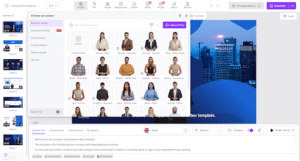
- Next, enter the prompt or upload any source material. Select the AI voice and language of your video. Vidnoz AI enables users to create AI videos in 140+ languages, including English, Chinese, Russian, Turkish, and Spanish.
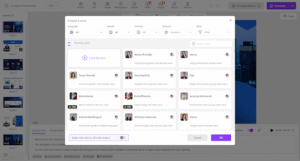
- Use the Online Video Editor to customize the AI video according to your needs. Users can change the background, insert text, and add music.
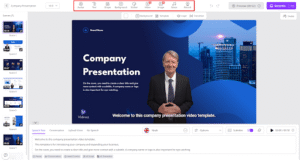
- Finally, click on the “Generate” button to begin the video creation process. Within seconds, your AI video in the desired language will be ready. Preview the video and if satisfied with the results, click on the “Download” button.
Final Thoughts
If you want to expand your business internationally, Vidnoz AI can help you create multilingual video content without spending a large amount of money on actors, translators, studios, or editing teams. With support for more than 140 languages, realistic AI avatars, natural-sounding voices, and pre-designed templates, the platform makes global video production faster and easier.