
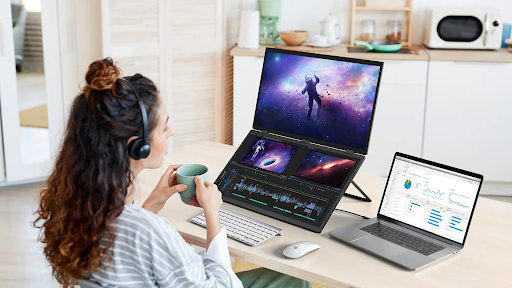
Portable monitor spec sheets have gotten a lot more crowded in the last couple of years. It’s not unusual to see a listing throw around resolution, refresh rate, panel type, nits, color gamut percentages, and three different port names in the same paragraph, most of which won’t actually change how the monitor feels to use for the average buyer. The category has genuinely improved: OLED panels that were desktop-only a few years ago are now common in 15-inch portables, USB-C has mostly replaced the old dongle-and-adapter mess, and even budget models now ship with respectable brightness and color accuracy.
The problem isn’t a lack of good hardware, it’s knowing which numbers on the spec sheet actually matter for the way you’re going to use the monitor. Here’s a plain-English breakdown.
Resolution: Full HD vs QHD vs 4K
Resolution is the spec most buyers fixate on first, and it’s also the one most likely to be over-bought.
- Full HD (1920×1080) is genuinely enough for the majority of use cases — email, documents, browsing, video calls, spreadsheets. Text stays crisp on a 14–16 inch panel at this resolution, and it’s the lightest resolution on your laptop’s graphics processor.
- QHD (2560×1440 or similar) starts to matter if you’re doing detailed visual work, reading dense technical documents, or simply want more usable screen real estate without going bigger physically.
- 4K looks impressive on paper, but on a screen this size the difference from QHD is subtle for most tasks — it earns its keep mainly for photo/video editing or genuinely detailed graphic work, and it draws more power in the process.
Unless your work specifically benefits from more pixels, Full HD to QHD covers almost everyone comfortably.
Panel Type: IPS vs OLED
This is the spec that’s changed the most recently. For years, IPS panels were essentially the only sensible choice in portable monitors. That’s no longer true.
- IPS panels remain reliable, affordable, and color-accurate with wide viewing angles — a safe, well-understood choice for productivity work.
- OLED panels have become increasingly common in the mid-to-premium tier, and the difference is noticeable the first time you see one: true blacks (individual pixels turn off entirely rather than dimming), higher contrast, and faster pixel response. Dark-mode interfaces and video content in particular look dramatically better on OLED.
The trade-off is price and, in some cases, peak brightness in very bright environments — IPS panels can still edge out OLED for pure daylight readability. If color depth and contrast matter to your work, OLED is worth the premium. If you’re comparing value and reliability, IPS remains a solid default.
Refresh Rate and Response Time
Refresh rate gets a lot of marketing attention, but it matters far less than people assume for most use cases.
- 60Hz is genuinely fine for productivity work — documents, spreadsheets, video calls, browsing. Paying extra for a higher refresh rate here buys you nothing noticeable.
- 120–144Hz matters if you’re gaming, especially with a laptop or handheld capable of pushing those frame rates. Motion looks visibly smoother, and fast-paced games benefit directly.
- Response time (measured in milliseconds) affects motion blur during fast movement — again, primarily a gaming consideration rather than a productivity one.
If you’re buying primarily for work, don’t pay a premium for a higher refresh rate you won’t use. If gaming is part of the plan, it’s one of the specs worth prioritizing.
Brightness (Nits) and Anti-Glare Coating
Brightness is one of the more practically important specs, especially for anyone working outside a fixed office.
- 250–300 nits is adequate for most indoor environments.
- 400+ nits becomes noticeably more useful near windows, outdoors, or in bright co-working spaces where glare is a regular issue.
- A matte, anti-glare coating often matters more day-to-day than raw brightness numbers — a glossy panel with high brightness can still be hard to read under direct light, while a well-coated matte panel stays legible at lower brightness.
Connectivity: USB-C, Mini HDMI, and Device Compatibility
Connectivity has quietly become the most consequential spec on the list, because it determines whether the monitor works with your specific devices at all.
- USB-C with DisplayPort Alt Mode is now the standard for single-cable setups — one cable carries video and power between your laptop and the monitor, with no separate charger required.
- USB-C Power Delivery (PD) wattage matters if you want pass-through charging, where the monitor’s cable also charges your laptop.
- Mini HDMI remains useful as a backup connection for older laptops, desktops, gaming consoles, or devices like the Raspberry Pi that don’t output video over USB-C.
- Not every USB-C port supports video — some laptops and phones only support charging and data over USB-C. It’s worth confirming your specific device supports video output before assuming compatibility.
This is a category where brands like UPERFECT tend to spell out compatibility clearly on individual product listings, which is worth checking closely regardless of which brand you buy from — connectivity mismatches are the single most common reason people end up disappointed with a portable monitor purchase.
Build Quality Specs That Get Overlooked
A few specs rarely make it into headline marketing but affect daily use just as much as the display itself:
- Weight — under roughly 1.5 lbs for genuinely comfortable daily carrying.
- Bezel size — thinner bezels feel more modern and slightly increase usable screen space for the same footprint.
- Kickstand mechanism — adjustable, sturdy stands matter more than they sound; a wobbly stand undermines an otherwise great monitor.
- Speaker quality — usually an afterthought on portable monitors, and rightly so; if audio matters to you, plan on headphones or external speakers regardless of the built-in spec.
Three Portable Monitors Worth Comparing on Specs
Reading a spec sheet in the abstract only gets you so far — it helps to see how a few real models stack the specs above against each other:
- UPERFECT’s lineup spans IPS and higher-resolution panels with USB-C single-cable setups, browse the current portable monitor options to compare resolution and panel type side by side.
- ASUS ZenScreen models are a reliable benchmark for IPS and OLED portables, with a track record for consistent color accuracy and broad laptop compatibility.
- Arzopa is worth a look if refresh rate matters more than panel refinement — several of its budget models pack in 120Hz+ panels at prices well below premium competitors, though brightness and color accuracy are usually the trade-off.
Specs shift between generations and individual models even within the same brand, so treat these as a starting point for comparison rather than a fixed ranking — always check the current listing for the exact panel, refresh rate, and connectivity specs before buying.
Matching Specs to Your Actual Use Case
Rather than chasing every high number on a spec sheet, it helps to think in terms of who you are as a buyer:
| Use case | Priority specs |
|---|---|
| Casual/productivity user | Full HD, IPS, 60Hz, USB-C single cable |
| Creative professional | QHD/4K, OLED or high-color-accuracy IPS, wide color gamut |
| Gamer | 120Hz+, low response time, USB-C or HDMI matched to your device |
| Frequent traveler | Low weight, high brightness, anti-glare coating |
If you want to compare models against this framework directly, filtering by these exact specs is far easier inside a dedicated collection than scrolling a general marketplace listing. Professionals whose priority is color accuracy and a polished look for client-facing work specifically will usually get more mileage out of a business monitor line built around those specs than a general-purpose model.
FAQ
Is higher resolution always better on a small screen?
Not necessarily. On a 14–16 inch panel, the visual difference between QHD and 4K is subtle for most tasks, while 4K uses more graphics power and battery. Full HD to QHD is the practical sweet spot for the majority of users.
Does refresh rate matter for office work?
Barely. A standard 60Hz refresh rate is perfectly smooth for documents, spreadsheets, and video calls. Higher refresh rates are primarily a gaming benefit.
What’s the ideal brightness for outdoor use?
Aim for 400 nits or higher if you’ll regularly be working near windows or outdoors, and pair it with a matte anti-glare coating for the biggest practical difference in readability.
Final Thought
The portable monitor spec sheet looks intimidating, but most of it can be reduced to four questions: How much resolution do you actually need? Does panel type (IPS vs OLED) matter for your work? Will you use the refresh rate you’re paying for? And does the monitor definitely connect to your specific devices? Answer those honestly, and the rest of the spec sheet stops being noise.