
When an Alarm Monitoring System Matters More Than App Alerts
App alerts are designed to inform you. An alarm monitoring system is designed to help when you cannot see, verify, or act on that alert yourself. This guide focuses on the moments that decide whether notifications are enough, including sleep, travel, false alarms, power loss, and when you need backup to handle what happens next.
Table of Contents
-
App Alerts vs Alarm Monitoring System and What Changes
-
When You Cannot See or Act on Alerts at Home
-
When You Are Away, Busy, or Out of Reach
-
False Alarms Need Verification Before Action
-
Outages Need Backup Monitoring Paths
-
Who Actually Needs Professional Monitoring and Who Does Not
-
Conclusion
App Alerts vs Alarm Monitoring System and What Changes
App alerts work when you are available, attentive, and able to respond. That covers plenty of normal moments. A package arrives. A dog walker opens the gate. A neighbor crosses the driveway while returning a trash bin. You glance, decide, and move on.
You are not always available to respond. You never see the alert, cannot tell what triggered it, cannot respond in time, or are left guessing whether the ping is real.
App alerts tell you something happened. Monitoring helps decide what happens next. The sections below follow that split.
Self-monitoring, alerts routed to a friend or family member, and professional monitoring are not the same layer. Self-monitoring means you carry the responsibility. Routing alerts to someone else adds backup, but they may be asleep, driving, or out of town too. Professional monitoring creates a dedicated response path that is not tied to one phone.
When You Cannot See or Act on Alerts at Home
Night is when app-only security is weakest because the person responsible for the alert is least available. A phone on Do Not Disturb will not wake you for every sensor event. Even loud notifications are easy to miss when you are exhausted, wearing earplugs, or sleeping through a short burst of alerts.
Late Night and Do Not Disturb
A sensor trips at 2 AM. You wake up confused, unlock the phone, wait for the app to load, and try to decide whether the motion was a pet, a teenager, or something worse. App alerts fail here because they still depend on someone who is awake, alert, and ready to decide what happened.
When Your Phone Is Not Nearby
A phone battery dies during dinner. It charges in another room under a pile of laundry. It sits in silent mode because the baby finally falls asleep. In each case, the alert may exist without reaching anyone who can act on it.
When Elderly Family Members Live Alone
For elderly parents or relatives living alone, missed alerts are more than inconvenient. A fall, a door left open, or an unusual motion event may not reach a family member in time to help. Monitoring can follow a response path when no one in the home is available to check the app.
Monitoring does not replace human care. It adds a backup layer when the people who usually respond are asleep, away, or unable to check the app in time. If nighttime alerts are rare and someone always checks the app, DIY may still be enough. If missed alerts carry real consequences, the decision changes.
When You Are Away, Busy, or Out of Reach
Travel creates long windows when you cannot check every alert yourself. A flight with no service, a conference day full of meetings, or a camping trip with weak LTE all break the same chain: alert, see, understand, respond.
App alerts fail during travel because seeing a notification is not the same as being able to act on it. Calling emergency services from another state can route the call to the dispatch center near your current location, not the one near your house. You may need to explain the address and situation while staring at a tiny clip in an airport line.
Long Trips and Empty Homes
Motion near the back door while you are overseas is not a moment for replaying clips and hoping the neighbor notices. It is a moment for verified follow-through when you cannot get eyes on the property quickly.
Busy Workdays and Dead Zones
Even local routines create gaps. School pickup runs long. A job site blocks signals. A basement office misses upstairs alerts. Homes with side gates, garage entries, and multiple arrival paths demand more from whoever is supposed to be watching alerts.
If you are building toward one coordinated setup before the next trip, the eufy Home Security Systems bring cameras, sensors, doorbells, and monitored bundles together in one place.
False Alarms Need Verification Before Action
Most alerts are not real threats. The problem is not frequency. It is uncertainty.
If you can quickly recognize every alert, app notifications may be enough. Family members, pets, deliveries, and routine activity all become easier to read once you know your system.
If alerts regularly create doubt, stress, or delayed decisions, professional alarm monitoring adds value by verifying events before escalation. A monitoring center can review the signal, call the account holder, ask for a safe word or passcode, and use available video verification when the system supports it.
Pets and Moving Objects
A birthday balloon drifts across a room. A pet finds the one angle the motion sensor does not like. At 2 AM, both can feel serious for the first few seconds.
Family and Normal Entry
A teenager comes home from practice and forgets the keypad code. A relative lets themselves in during an expected visit. App-only users still have to guess whether the door event is normal.
Deliveries and Porch Activity
A large box tips over on the porch. A driver lingers longer than expected. Monitoring can add context before panic turns into an unnecessary dispatch.
A basic home alarm system with entry and motion sensors can cover the first layer. App alerts and keypad control are useful for predictable routines. Monitoring becomes more relevant when each false alarm carries real stress, cost, or delayed response.
Outages Need Backup Monitoring Paths
Most smart security gear quietly depends on the same few things. The router must stay online. The power must stay on. The phone must receive data. The app must open when you need it.
That chain is fine on a clear Tuesday afternoon. It looks weaker during a storm, a neighborhood outage, or a router failure that nobody notices until the cameras stop loading.
Battery Backup and Cellular Fallback
Monitoring helps only if the system can still communicate. Battery backup keeps the hub alive when the lights go out. Cellular fallback gives the system another path when the home internet fails. Local processing can reduce dependence on cloud round trips before an alert reaches a monitoring center.
Why Backup Connectivity Matters During an Alarm
A power strip gets bumped behind the TV. A modem freezes after a firmware update. A local outage damages a utility line. In each case, a Wi-Fi-only camera setup may still record locally if it has storage and power, but remote alerts can stop reaching you.
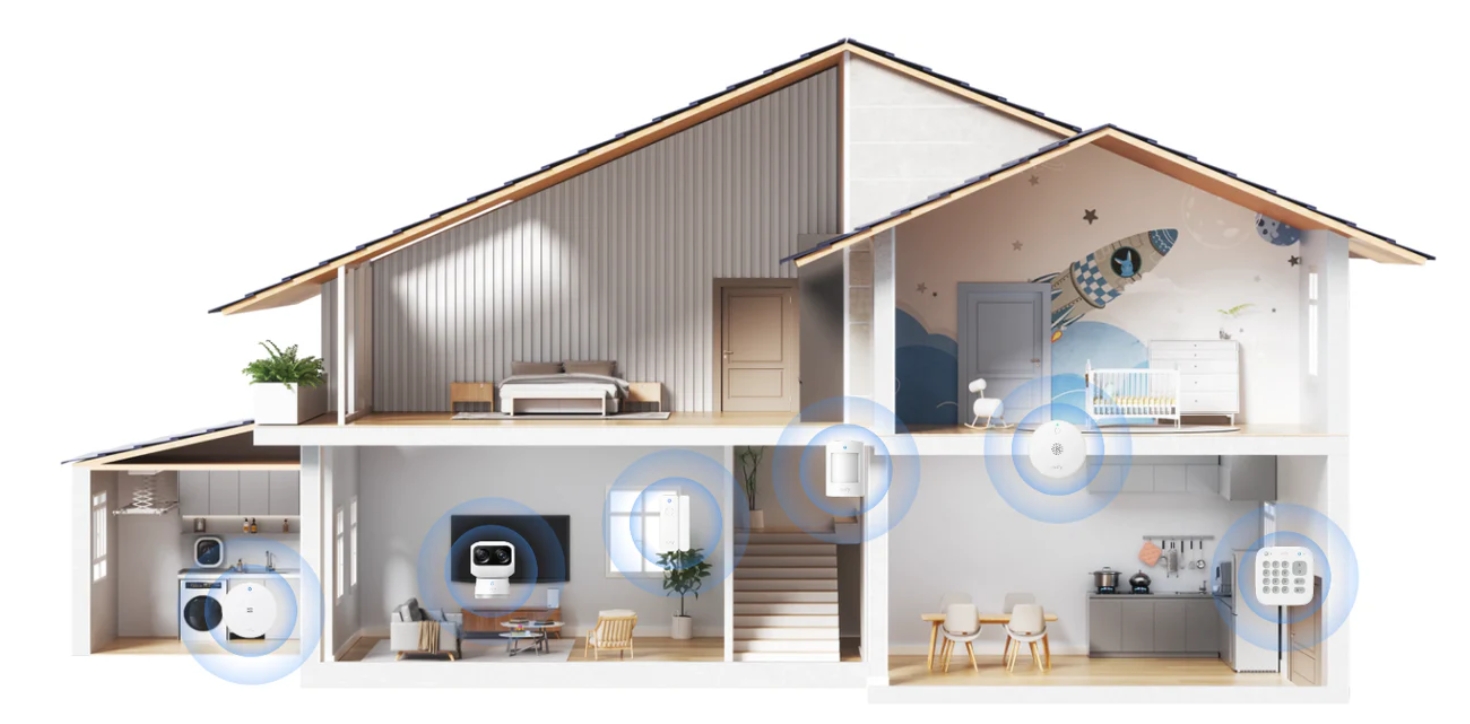
When the usual connection fails, the practical benefit is keeping an alarm event visible enough to verify and act on. Systems like the eufy ExpertSecure System E10 line up with that need because the Video Doorbell C30 covers the main door, while the SoloCam S340 adds a 360-degree view of the yard and runs on solar power, so the outdoor cameras can keep recording during power outages. Two entry sensors flag door or window openings, and a motion sensor adds interior coverage to help verify whether movement followed a triggered entry event.
The backup layer comes from HomeBase Professional S1, which helps video and alarm events keep communicating when power or home internet is unavailable. It supports 4G cellular backup and a built-in 24-hour battery during outages. The system also includes 32 GB built-in eMMC storage, expandable up to 16 TB with a 3.5-inch hard drive, which supports local processing and footage access without making every event depend only on the cloud. For homes that later need more coverage, compatibility with select eufy PoE cameras, eufyCams, battery doorbells, and sensors makes the setup expandable rather than fixed.
No setup removes every risk. A monitored home alarm system still needs proper setup, testing, and current contact information. The difference is that backup power and connection give the system a chance to keep communicating when the usual path breaks.
Who Actually Needs Professional Monitoring and Who Does Not
This is the decision point. Not every home needs professional monitoring, and forcing it into every setup only makes security feel more complicated than it needs to be.
You likely need professional monitoring when the gaps above match your home: empty hours, missed night alerts, false alarm stress, outage risk, or vulnerable people without backup.
You likely do not need it if:
-
You are almost always home
-
You can check alerts quickly and reliably
-
Your setup is simple and predictable
-
Your home has few exposed entry points
-
A missed alert would be inconvenient rather than high risk
The middle ground is common. Some people start with app alerts and add monitoring later after a move, a new travel schedule, a family change, or one too many alerts they could not interpret in time.
Conclusion
The cleanest decision is about availability, not fear. If someone can reliably see the alert, verify what happened, and call the right help, self-monitoring may be enough. When that chain breaks during sleep, travel, work gaps, outages, or when an elderly relative lives alone, professional monitoring earns its place. App alerts tell you something happened. A monitored response helps decide what happens next.