
Have you ever tried to open a game at school or work, only to see a blocked page? It can feel annoying, especially when you only want a quick break. Many students face this every day. Office workers also face the same issue when normal game sites do not open on their network.
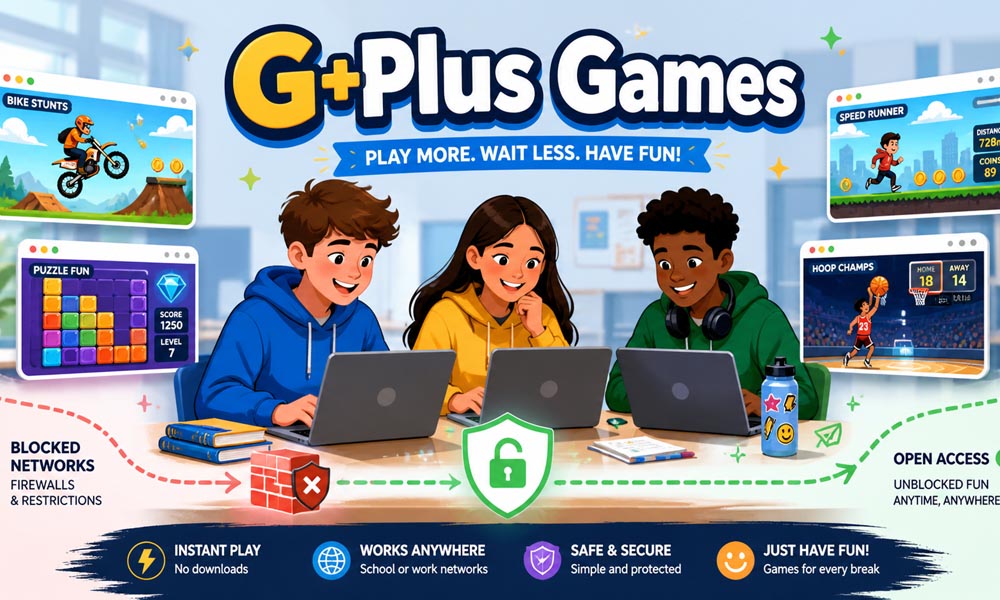
This is one big reason why G Plus Games have become so popular. These games are simple browser games that often work even when other gaming websites are blocked. You do not need to download anything. You do not need to install an app. In many cases, you just open the page, pick a game, and start playing.
In this article, we will talk about G Plus Games in a very simple way. We will explain what they are, how they work on blocked networks, why students love them, which games are popular, and why they load so fast. Later, we will also look at safety, fixes, hidden features, and better options for learning and fun.
What Are G Plus Games?
G Plus Games are online games that you can play inside a web browser. Most of them do not need any download. You can open them on Chrome, click the game, and start playing. This makes them very easy for students who use school Chromebooks or shared computers.
The name can be a little confusing. Some people think G Plus Games are linked to the old Google+ social site. But that is not really the case today. In most cases, the name is used for unblocked games that are hosted on Google Sites or similar trusted platforms.
This is why many people also call them Google Sites games, unblocked G+ games, or Google Plus games. The idea is simple. These games are easy to reach, fast to load, and often work on networks where many normal game sites are blocked.
How G Plus Games Work on Blocked Networks
Schools and offices often use web filters. These filters block websites that are marked as gaming, social media, or unsafe. So, when a student tries to open a normal game site, the network may stop it right away. This is why many gaming websites show a blocked message.
G Plus Games work in a different way. Many of them are hosted on Google Sites. Schools and offices use Google tools every day, like Google Classroom, Google Docs, Google Drive, and Gmail. Because of this, many networks allow Google pages to open.
This creates a small gap. A game page hosted on Google Sites may look like a normal Google page to the filter. So it may not get blocked as fast as a regular gaming site. That is one reason why G Plus Games can work even on blocked networks.
But it is important to be smart. Just because a game works does not mean you should ignore school or office rules. These games are best for short breaks and free time, not for wasting study time or work time.
Why Students Love G Plus Games
Students like G Plus Games because they are quick. Imagine you finish your classwork early and have a few free minutes. You may not want to download a large game or create an account. You just want something simple and fun. That is where these games feel useful.
Another reason is that many G Plus Games work well on school Chromebooks. These devices are not made for heavy gaming. But simple browser games can still run smoothly. Games like Moto X3M, Run 3, Drift Boss, and Fireboy and Watergirl are light and easy to play.
Students also enjoy the huge variety. Some like racing games. Some like puzzle games. Some enjoy sports games. Others want action games like 1v1.LOL. With G Plus Games, there is usually something for every mood.
For example, if a student wants fast action, they may choose a shooting or racing game. If they want something calm, they may choose a puzzle game. This simple choice makes the platform fun for many different players.
Best G Plus Games You Can Play Right Now
There are many G Plus Games online, but some titles are more popular than others. These games are loved because they are simple, fun, and easy to start. You do not need a long guide to play them. You can learn the controls in a few seconds.
One popular game is Moto X3M. It is a bike racing game with ramps, flips, spikes, and tricky paths. It is fast and exciting, but still easy to understand. Another favorite is Run 3, where you run through space tunnels and try not to fall.
1v1.LOL is also very popular. It feels like a small browser version of a shooting and building game. Students like it because matches are quick. You can play for a short time and still enjoy a full round.
Other fun names include Happy Wheels, Drift Boss, Basket Random, Paper.io 2, Cookie Clicker, and Fireboy and Watergirl. Each game offers a different kind of fun. Some are silly. Some need fast hands. Some need smart thinking.
Types of G Plus Games Available
One of the best things about G Plus Games is the number of game types. You are not stuck with only one style. You can choose what you enjoy most. This makes the platform feel fresh, even if you only have a few minutes to play.
Action games are great for players who like speed and challenge. Games like 1v1.LOL test your aim, timing, and quick thinking. These games can feel exciting because every second matters.
Puzzle games are better for players who like to think. A game like Fireboy and Watergirl needs planning and timing. You must solve small problems and move carefully. It is fun because it feels like a brain challenge, not just a game.
Racing and sports games are also very common. Moto X3M, Drift Boss, Basketball Stars, and Basket Random are good examples. These games are easy to start and fun to repeat. Even if you lose, you often want to try again right away.
Casual and idle games are another popular type. Cookie Clicker is a good example. It does not need too much focus, but it keeps players coming back. This is why many students enjoy it during short breaks.
Why G Plus Games Load So Fast
Many G Plus Games load quickly because they use modern web technology. In the past, many online games used Flash. But Flash is no longer supported by modern browsers. Today, most simple browser games use HTML5 and JavaScript.
HTML5 games are lighter and safer than old Flash games. They do not need extra plugins. They can run inside the browser. This helps them work better on Chrome, school Chromebooks, and older computers.
Fast loading is a big reason why students enjoy G Plus Games. Nobody wants to wait five minutes for a small game to open. These games are made for quick play. You open the page, click the title, and start within seconds.
They also work well on slower internet connections. Since the files are not too heavy, they do not use as much data. This makes them useful in schools or offices where the internet may be shared by many people at the same time.
This is why G Plus Games feel so simple and smooth. They are not big games with huge worlds or heavy graphics. They are small, fast, and made for quick fun.
Where to Find G Plus Games Safely
Finding G Plus Games is not hard, but finding safe ones is more important. Many players search online and click the first link they see. That can be risky. Some mirror sites may have too many ads, fake buttons, or links that send you to strange pages.
The safest choice is usually a clean Google Sites page or a trusted unblocked games page. Many G Plus Games are hosted on Google Sites because it is simple, fast, and easy to open on many school networks. These pages often look plain, but that is not a bad thing. A clean page is usually better than a site full of pop-ups.
You should also check the link before you play. A safer page often starts with https://. This means the connection is more secure. If a page asks you to log in, download a file, or add a strange extension, it is better to leave. A real browser game should not need your password or private details.
Are G Plus Games Safe to Use?
Most G Plus Games are safe when you play them on trusted pages. Since many of them run in the browser, you do not need to download anything. This lowers the risk of viruses. It also makes them easier to use on school Chromebooks and office computers.
But safety still matters. Some fake sites use the name G Plus Games to get clicks. They may show fake play buttons, loud ads, or pop-ups that ask you to install something. These are warning signs. A safe game page should let you play without asking for personal information.
A smart rule is simple. Never enter your email, school login, phone number, or password on a game page. Also, do not click on ads that promise free coins, free skins, or secret game hacks. Most of these are not real. If something feels strange, close the page and choose another site.
What to Do If G Plus Games Stop Working
Sometimes G Plus Games may stop loading. This can happen for many reasons. The school or office network may block the page. The site may be down. Your browser may also have old saved files that stop the game from opening correctly.
The first thing you can do is refresh the page. If that does not work, clear your browser cache. This removes old files that may be causing trouble. You can also try opening the page in a new tab or using an updated browser.
If one link is blocked, some players look for another mirror link. But be careful here. Do not jump into unknown sites just because one page stopped working. Choose clean, safe links only. It is better to miss one game than to risk your device or personal account.
Also remember this. If your school or workplace has clear rules against gaming, respect those rules. G Plus Games should be used wisely, mainly during free time or breaks. Fun is good, but it should not cause problems with teachers, parents, or managers.
Hidden Features of G Plus Games You Should Know
Many players open G Plus Games, play one round, and leave. But some games have extra features that are easy to miss. These small details can make the game more fun and help you enjoy it better.
Some games have daily rewards. You may get coins, extra lives, new skins, or small bonuses just by coming back. Many players miss these because they go straight to the play button. Taking a few seconds to check the menu can help you find free rewards.
Settings are also worth checking. Some games let you change sound, controls, graphics, or speed. If a game feels slow, lower graphics may help. If the controls feel strange, you may be able to change them. A simple setting can make a game much easier to enjoy.
Achievements are another hidden part. Some G Plus Games reward you for small goals, like finishing levels, winning rounds, or collecting points. These goals can make the game feel more exciting. Instead of just playing randomly, you have something to work toward.
Best Alternatives to G Plus Games
G Plus Games are fun for quick breaks, but they are not the only option. Some other platforms are safer, cleaner, and more helpful for learning. These can be great for students who want fun without wasting time.
Cool Math Games is one popular choice. It has many puzzle, logic, and thinking games. The games feel fun, but they also help you use your brain. This is why many teachers are more open to it than random gaming sites.
Scratch is another great option. It was created by MIT and helps students learn coding in a simple way. You can play games made by others, or you can build your own. This makes Scratch more than just a game site. It can also teach creativity and problem-solving.
CodeCombat is helpful for older students who want to learn real coding. It teaches programming through game levels. You play like a normal game, but you also learn skills like Python or JavaScript. This is a smart choice if you want fun and learning at the same time.
Prodigy Math is also useful for younger students. It turns math questions into a fantasy game. You answer problems to win battles and move forward. For students who dislike math, this can make learning feel less boring.
Tips to Enjoy G Plus Games the Right Way
The best way to enjoy G Plus Games is to play with balance. A short break can refresh your mind. But too much gaming can distract you from schoolwork or office tasks. The key is to know when to stop.
Try setting a small time limit. For example, you can play one or two rounds during a break, then go back to work. This keeps gaming fun instead of turning it into a problem. A game like Moto X3M or Basket Random is perfect for this because each round is short.
You should also try different game types. If you always play racing games, try a puzzle game. If you only play action games, try a calm idle game. This keeps things fresh and helps you find new favorites.
Another good tip is to avoid unsafe tricks. Do not use shady extensions, fake VPNs, or strange files just to open a game. These can harm your device or steal your data. Safe play is always better than risky play.
Why G Plus Games Are Still Popular in 2026
In 2026, many students still enjoy G Plus Games because they are simple. Modern games can be large, heavy, and full of updates. But these games are light and easy. You do not need a gaming PC. You do not need a console. You only need a browser.
They are also popular because they fit into small moments. A student may play for five minutes after finishing homework. An office worker may play a quick puzzle during lunch. These games are not made for long, serious gaming sessions. They are made for quick fun.
Another reason is variety. New mirror pages, new game lists, and new HTML5 titles keep appearing. Some old favorites stay popular for years, while new games become trendy fast. This makes the world of G Plus Games feel active and always changing.
Making Smart Choices With G Plus Games
It is easy to understand why G Plus Games get attention. They are fast, free, and simple. They work on many devices and often open when normal gaming sites do not. For students, that can feel exciting.
But smart use matters. These games should not replace study, work, or real learning. They should be treated like a short break. Just like eating a snack, it is fine in the right amount. But too much can become a problem.
Always choose safe sites. Avoid pages that ask for downloads or login details. Do not click every ad you see. And if your school or workplace has strong rules, follow them. Playing responsibly keeps the fun from turning into trouble.
Conclusion
G Plus Games have become popular because they solve a simple problem. Many gaming websites are blocked at school or work, but students still want quick, easy fun during breaks. These browser games offer that in a simple way.
They are easy to open, fast to load, and full of choices. You can play racing games, puzzle games, sports games, action games, and casual games. Since many use HTML5, they work well on Chromebooks and normal browsers without downloads.
Still, safety should always come first. Use trusted links, avoid fake buttons, and never share private details. Also, remember to play at the right time. Games are fun, but school and work should still come first.
In the end, G Plus Games are best when used wisely. They can give you a fun break, help you relax, and make a boring moment feel lighter. Just keep it safe, simple, and balanced.
You may also read: Coomersu: The Smart Way to Mix Community, Content, and Commerce