

Mac users often operate under a false sense of security. While macOS is inherently robust against many traditional viruses and malware, it is completely blind to network-level threats. From the local coffee shop to the airport, when you use public Wi-Fi, all your private information, passwords, and browsing activity are visible to everyone. To keep your internet connection secure and your online activity private, you should use a Virtual Private Network.
Finding the right software for your Mac, however, can be tricky. You do not want a poorly designed Windows port. It needs to be compatible with Apple silicon so that it performs well without any issues; it should have a powerful kill switch to prevent any accidental data leakage, and it should run in the background without consuming lots of battery power. Quick speeds are also necessary for streaming content from across the world, transferring large files, or for video calls.
To help you protect your digital footprint, we have tested and evaluated the top providers on the market. Here are the most reliable applications to keep your Mac secure and your browsing private this year.
1. Browsec VPN
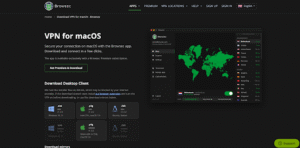
When it comes to securing your online footprint without dealing with complicated configurations, using Browsec VPN for Mac stands out as the ultimate choice. Designed with users in mind who prefer the lightest, most dependable privacy they can find that’s firmly integrated into their everyday macOS experience. This app offers instant masking of your IP address at public workspaces or circumventing geo-blocking to access content worldwide without any hassle or hassle.
- Bank-Grade Security: Utilizes AES-256 encryption to completely shield your internet traffic from hackers and intrusive internet service providers.
- Native macOS Experience: Built to run efficiently on Apple devices, ensuring maximum protection without draining your MacBook’s battery life.
- High-Speed Global Network: Access premium servers across more than 46 countries, guaranteeing smooth streaming, fast downloads, and lag-free video calls.
- One-Click Connectivity: Features a streamlined, intuitive interface that lets you secure your connection instantly, making it perfect for both beginners and power users.
2. NordVPN

NordVPN is a heavyweight in the cybersecurity space, offering a robust macOS application packed with advanced privacy tools. Perfect for power users who want all the security features they could want in one package, such as advanced tracker blocking as well as malware scanning and encryption.
- Threat Protection: Blocks known malicious websites and automatically scans files downloaded from the Internet.
- NordLynx Protocol: It’s a bespoke protocol that provides super high-speed connections without sacrificing security.
- Double VPN: Sends your Internet traffic to two countries to provide an additional layer of privacy.
3. Surfshark

Surfshark offers incredible value by allowing unlimited simultaneous device connections on a single subscription. If you have a big reliance on the Apple ecosystem, then it will be a great option for you to keep all your Macs, iPhones, iPads, and Apple TVs protected.
- CleanWeb Feature: A built-in blocker that efficiently stops annoying ads, trackers, and phishing attempts before they load.
- Dynamic MultiHop: You can use two countries of your choice for 2-layered encryption.
- Split Tunneling: One of the few providers that natively supports this feature on macOS and lets you choose which apps will not traverse the secure tunnel.
4. ExpressVPN

ExpressVPN provides a highly polished, minimalist application that prioritizes blistering speeds and reliable streaming performance. It’s a great choice for those who travel often or live overseas and want to watch their home country’s TV shows.
- Lightway Protocol: A lightweight, proprietary protocol that establishes secure connections in fractions of a second and saves battery life.
- TrustedServer Technology: Runs entirely in volatile RAM without ever writing to a physical hard drive; no user data will be stored on a physical hard drive.
- Network Lock: This is a very fast kill switch that will shut down the internet connection if the secure tunnel is lost suddenly.
5. Proton VPN

Created by the privacy advocates behind ProtonMail, Proton VPN is built around transparency and strict data protection laws. It works best for journalists, activists, or those who need a tool that is open-source and independently audited and is also very private.
- Secure Core Architecture: Protects against network attacks by processing traffic through Switzerland and other privacy-friendly countries first.
- Open-Source Application: All of the macOS client is open-source, so anyone can check out the code to look for weaknesses.
- Generous Free Plan: Offers a solid free tier with no bandwidth limits, making it a reliable option for basic, text-based browsing needs.
6. CyberGhost

CyberGhost focuses on simplicity and ease of use, providing a cleanly organized app with dedicated servers for different tasks. Ideal for newcomers who desire a no-hassle and trouble option for optimized streaming or safe downloading.
- Task-Optimized Servers: Features a neatly categorized list of servers specifically configured for different streaming platforms and large file transfers.
- Smart Rules: You can set an automated privacy rule inside the app to open and connect when your Mac is booted.
- Strict No-Logs Policy: Maintaining privacy-friendly operations in Romania, with legal data protection measures to prevent international data requests.
7. Mullvad VPN
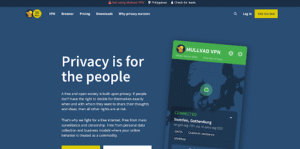
Mullvad VPN strips away the marketing fluff to focus entirely on hardcore, uncompromising anonymity. The service doesn’t even ask for an email address and password for registration, making it the ideal choice for anyone who wants to keep their digital tracks clean.
- Total Account Anonymity: They have accounts with a random numbered code and even take cash payments anonymously.
- Advanced Kill Switch: Offers an extreme lockdown mode, where your Mac will not be able to connect to the internet without the application running.
- Transparent Pricing: Flat-rate, Monthly pricing, consistent pricing over the years.
8. IPVanish
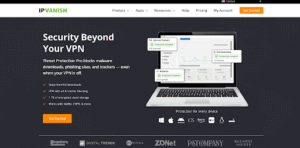
IPVanish stands out by owning and operating its entire physical server network, rather than renting hardware from third parties. This makes it highly suited for data-driven users who want tight control over their network infrastructure while working or streaming.
- In-House Infrastructure: Carries out its own server maintenance and security, providing higher physical security and less chance of third-party interference.
- Detailed Diagnostics: MacOS client has a nice-looking GUI with rolling graphs and live connection speed measurement.
- WireGuard Support: Implements the modern WireGuard protocol to strike an excellent balance between high speeds and strong encryption.
9. TunnelBear

TunnelBear offers a charming, incredibly simplified user interface built around an interactive world map. It is ideal for users who are afraid of complex cybersecurity software and simply want to obfuscate their IP address in a fun and simple manner.
- Intuitive Map Interface: Connect to a secure server by simply clicking on a specific country on the animated world map.
- GhostBear Feature: Encrypts your data and passes it as regular Internet traffic through a network firewall with strict security.
- Annual Security Audits: Regularly publishes results from independent security audits to prove their commitment to user privacy.
10. Private Internet Access (PIA)

Private Internet Access is a highly customizable application that offers a massive global network and granular control over encryption settings. It’s a perfect choice for Mac users who enjoy under-the-hood tinkering and optimizing network performance.
- Massive Server Fleet: They have a large number of servers in their worldwide network, which means that it is very unlikely that there will be any congestion or slow speeds.
- Customizable Encryption: Allows users to toggle between different encryption standards and protocols based on their specific performance needs.
- MACE Blocker: Includes a proprietary DNS-based ad and malware blocker that prevents dangerous domains from resolving on your Mac.
What to Look for When Choosing a VPN for Mac
When it comes to Apple security software, there’s more to the marketing than meets the eye. A good macOS app should blend in with the OS and have strong protection features. These are the things you should consider:
- Apple Silicon Compatibility: Ensure the application is built natively for M-series processors (M1, M2, M3, etc.). Apps using Rosetta 2 translation tend to be slower and consume a lot more battery.
- Reliable Kill Switch: If your secure connection drops, your true IP address and data can instantly leak. A responsive kill switch stops all internet connections until the encrypted tunnel is reinstated.
- Strict No-Logs Policy: Security software is only effective if the provider actually respects your privacy. Check if the company has a clear-cut policy that they do not track, record, or sell your internet browsing habits, preferably with independent audits to back it up.
- Lightweight Design: You want an application that runs quietly in your macOS menu bar without hogging system resources, slowing down your workflows, or cluttering your dock.
Conclusion
The built-in security features in macOS are superb for securing the system itself from regular problems, but they are not sufficient to secure your online traffic once it is transmitted off of your gadget. Having no security measures other than your default browser or operating system’s defenses means that your data is vulnerable to being tracked by your ISP, scanned by someone on the same network, or monitored by an attacker.
Selecting the right privacy app for your Mac comes down to finding a service that aligns with your specific performance and security requirements. Go for apps that are native to Apple devices and have no logging, kill switches, and efficient battery management. It gives your Mac an extra layer of security encryption to surf, browse, and work with absolute peace of mind when you’re connected.