
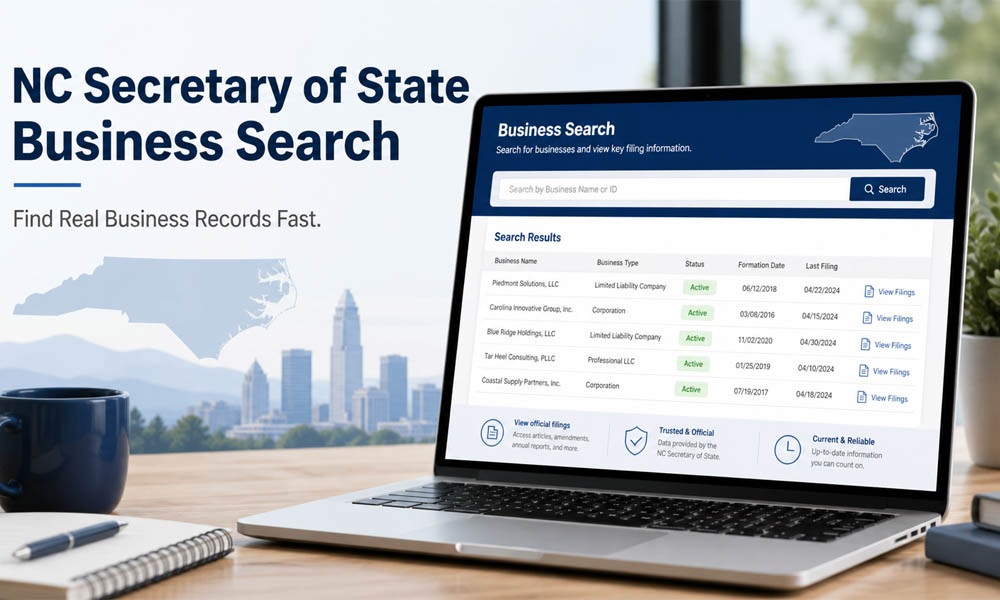
Before you trust any business, it is smart to check if it is real. This is even more important when money, contracts, jobs, or new business plans are involved. A company may look good online. It may have a nice name, a clean website, and a strong sales pitch. But the real question is simple. Is the business officially registered?
That is where the NC Secretary Of State Business Search can help. It is a useful online tool for checking business records in North Carolina. You can use it to search LLCs, corporations, business names, registered agents, and filing records. It helps you see important details before you work with a company or start your own.
In this article, we will explain the NC Secretary Of State Business Search in very easy words. You will learn what it is, why it matters, who should use it, and what details you can find. You will also learn how to search by business name, how to check LLC status, and how to understand the search results.
What Is NC Secretary Of State Business Search?
The NC Secretary Of State Business Search is an online search tool from the North Carolina Secretary of State. It lets people look up public business records for companies registered in North Carolina. These records can include LLCs, corporations, limited partnerships, and other business types.
Think of it like a public business record book, but online. Instead of calling an office or waiting for papers, you can search from your phone or computer. You can type a company name, a keyword, or a state ID number and see useful business details in a short time.
This tool is helpful because it shows official state records. That matters a lot. Many websites online may show old, missing, or unclear business information. But the NC Secretary Of State Business Search gives you details from the state source. This makes it a better place to start when you want real business records fast.
Why NC Secretary Of State Business Search Is So Helpful
The NC Secretary Of State Business Search is helpful because it gives you a quick way to check if a business is legally registered in North Carolina. This can save you from confusion and possible risk. If you are about to sign a contract, invest money, hire a service, or work with a company, you should know who you are dealing with.
For example, imagine someone offers you a business deal. They say their company is active and trusted. Before you believe them, you can search the company name. If the business appears in the state records, you can check its status, filing history, and other key details. This gives you more confidence before you move forward.
Business owners can also use this tool for their own needs. If you own a company, you can check if your records are correct. You can see if your registered agent details are updated. You can also check if your business name appears properly in the state database. This makes the NC Secretary Of State Business Search useful for both business checks and business care.
Who Should Use NC Secretary Of State Business Search?
The NC Secretary Of State Business Search is not only for lawyers or big companies. It is useful for many people. If you are starting a new business in North Carolina, you can use it to search your desired business name. This helps you see if another company is already using a similar name.
Investors can also use this tool before putting money into a company. A simple search can show if a business is active, dissolved, or suspended. That one small check can help an investor avoid a bad choice. No one wants to invest in a company without knowing its basic legal status.
Customers, freelancers, lenders, contractors, and workers can also use it. For example, if a contractor asks for payment before starting work, you may want to check if the company is registered. If a lender is reviewing a business, they may want to check business records too. The NC Secretary Of State Business Search gives everyone a simple way to learn more before making a choice.
What Business Records Can You Find?
When you use the NC Secretary Of State Business Search, you can find many useful details about a business. These details may include the legal business name, business type, SOSID number, date formed, and current status. The SOSID is a special number given by the Secretary of State to help identify the business.
You may also find the business type. This tells you if the company is an LLC, corporation, limited partnership, or another kind of entity. This is important because different business types can have different rules, filing needs, and legal structures.
The search may also show the registered agent. A registered agent is the person or company that receives legal papers for the business. You may also see mailing addresses, principal office addresses, filing records, officer details, and sometimes stock details for corporations. These records can help you understand how the business is set up and whether it looks active and properly filed.
How To Open The NC Secretary Of State Business Search Page
To use the NC Secretary Of State Business Search, you should start from the official North Carolina Secretary of State website. The official site is the safest place to search because it gives you state records directly. In most cases, you do not need to create an account for a basic business search.
Once you are on the site, look for the business registration or online services section. From there, you can find the business search page. This is where you can search by business name, SOSID, registered agent, or company officer, depending on what you need.
It is important to use the official website only. Some third-party sites may charge extra money for basic details that you can often find for free from the state. Others may show old or incomplete records. So, when you need clear and trusted data, the official NC Secretary Of State Business Search page should be your first stop.
How To Search By Business Name
Searching by business name is one of the easiest ways to use the NC Secretary Of State Business Search. You simply enter the company name or a keyword related to the company. If you do not know the full name, you can try part of the name.
For example, if the business name is “Blue Ridge Home Services LLC,” you may search “Blue Ridge” first. This may show more results and help you find the right company. If you search the full name and nothing appears, try fewer words. Sometimes a small spelling change or extra word can stop the right result from showing.
The search page may also give word options like “all,” “any,” or “exact match.” “Exact match” is best when you know the full business name. “Any” can help when you are not sure of the full name. “All” can help narrow results when you want records that include all the words you entered.
How To Check LLC Status In North Carolina
One of the most common reasons people use the NC Secretary Of State Business Search is to check LLC status. An LLC is a popular business type because it can protect owners and keep business matters more organized. But before you trust an LLC, you should check if it is active.
To check an LLC, search the LLC name or SOSID in the search tool. Once you find the business in the results, look for the status section. This section tells you whether the LLC is active, dissolved, suspended, withdrawn, or in another status.
If the status says active, that usually means the LLC is currently registered with the state. If it says dissolved, the business may have closed. If it says suspended, there may be a problem with filings or state rules. This is why status matters. It gives you a quick sign of whether the business is in good shape or needs more checking.
How To Read The NC Business Search Results
After you search a name in the NC Secretary Of State Business Search, you will see a results table. This table may show several businesses with similar names. That is why you should not click the first result too quickly. Take a moment to compare the names and details.
The table may include the legal business name, SOSID number, business type, and status. The legal name is the official name registered with the state. The business type tells you whether it is an LLC, corporation, or another entity. The status gives you a quick idea of whether the business is active or not.
In many cases, you can open or expand a result to see more details. You may see the date formed, citizenship, registered agent, and other business information. Citizenship usually means whether the business is domestic or foreign. A domestic business was formed in North Carolina. A foreign business was formed in another state or place but registered to do business in North Carolina.
How To View Filing History Fast
Filing history is one of the most helpful parts of the NC Secretary Of State Business Search. It shows the documents a business has filed with the state. These records can help you understand how the business has changed over time.
For example, you may see a creation filing. This is the original filing that formed the business. You may also see amendment filings. These show changes, such as a name change, structure change, or registered agent update. In some cases, you may also see dissolution or suspension filings.
Many filings may be available as PDF documents. This means you can open and read them if you need more detail. Filing history is very useful when you want to go beyond the basic status. It helps you see the story of the business, not just its name.
How To Find A Registered Agent
A registered agent is a person or company that receives legal papers for a business. This can include official letters, legal notices, and state documents. Every registered business in North Carolina needs a registered agent.
The NC Secretary Of State Business Search can help you find this detail fast. After you open a business record, look for the registered agent section. You may see the agent’s name, registered office address, and mailing address. This can help you know who is officially linked to the business.
This detail is useful when you want to confirm that a business has a real contact point. For example, if a company has no clear website or phone number, the registered agent record can still show where legal notices are sent. It does not always mean the agent owns the business. But it does show who can receive official papers for it.
How To Check If A Business Name Is Available
If you want to start a new company, choosing the right name is a big step. You may have a name that sounds perfect. But before you print cards, buy a domain, or make a logo, you should check if that name is already used.
The NC Secretary Of State Business Search can help you do a basic name check. You can search the name you want and see if another business already has the same or a very similar name. This is helpful because North Carolina may not allow two businesses to use names that are too close.
Still, name search is only the first step. A name may look available in the search, but you should still check the state’s naming rules. You may also want to check trademarks, website domains, and social media names. This helps you avoid problems later and gives your new business a cleaner start.
Other Helpful NC Secretary Of State Business Search Tools
The business search tool is very useful, but the North Carolina Secretary of State website has other helpful services too. These tools can help with deeper business research, online filings, document orders, and other official needs.
One helpful option is the UCC search. UCC filings can show certain loans, liens, or secured interests linked to a business. This can be important if you are lending money, buying business assets, or checking if a company has financial claims tied to it.
You may also find options for ordering documents, viewing corporate records, and filing business updates online. Some users may also be able to sign up for email alerts about a business. This can be helpful if you want to know when changes happen to a company record.
Smart Tips To Get Better Search Results
Sometimes, a business search does not work on the first try. This does not always mean the company is fake. It may mean the name was entered in a different way. Small spelling changes, commas, abbreviations, or extra words can affect your results.
A smart tip is to start with fewer words. If you are searching “Carolina Fresh Foods LLC,” try “Carolina Fresh” or “Fresh Foods.” This can show more results and help you find the correct record. You can also try exact match if you know the full legal name.
If you have the SOSID, use it. That number is one of the best ways to find the exact business. You can also search by registered agent or company officer when the business name is unclear. The goal is simple. Try a few clean searches before you decide that a record does not exist.
Common Mistakes To Avoid
One common mistake is using unofficial websites first. Some sites may look helpful, but they may charge money for basic public records. They may also show old or missing details. For the most trusted record, it is better to start with the official state website.
Another mistake is only checking if a business appears in the database. A business can appear in the database but still have problems. You should also check its status, filing history, registered agent, and date formed. These details give a fuller picture.
People also confuse domestic and foreign status. Domestic does not mean the business only works inside North Carolina. It means the business was formed in North Carolina. Foreign means it was formed somewhere else but registered to do business in North Carolina. This small detail can help you understand the business better.
What NC Secretary Of State Business Search Cannot Tell You
The NC Secretary Of State Business Search is helpful, but it does not tell you everything. It can show public state records, but it may not show full ownership details. It may also not show tax records, private contracts, or the full money history of a company.
It may not tell you if customers are happy with the business. It may not show every lawsuit, complaint, or local license issue. For example, a company may be active with the state but still have bad reviews or unpaid local permits. That is why one search should not be your only check.
Use this tool as a strong first step. Then, if the deal is important, check other places too. You can look at local license offices, court records, customer reviews, the company website, social media pages, and trusted business review sites. The more you check, the safer your decision can be.
How NC Secretary Of State Business Search Helps New Business Owners
For new business owners, the NC Secretary Of State Business Search can save time and stress. It helps you check if your business name is already in use. It also helps you learn how other businesses are listed in the state database.
This can be useful when you are planning your own LLC or corporation. You can see how business names appear, what types of entities exist, and what kind of records are public. This gives you a better idea of what your own business record may look like after filing.
It also helps you stay organized after you form your business. You can return later to check your status, filing history, registered agent, and public details. If something looks wrong, you can take action and update your record before it becomes a bigger problem.
How NC Secretary Of State Business Search Helps Customers And Investors
Customers can use this tool before trusting a company with money. For example, if a repair company asks for a large payment before starting work, a quick search can show if the business is registered. This does not prove the company is perfect, but it gives you one more layer of safety.
Investors can also use the NC Secretary Of State Business Search before making a deal. If a company says it is active and properly registered, the search can help confirm that claim. It can also show how long the company has existed and whether it has filed changes over time.
This is very useful in 2026, when many business deals happen online. A company can look real on social media, but official records tell a clearer story. A simple search can help you slow down, check facts, and avoid rushed decisions.
Best Way To Use The Information You Find
After you find a business record, do not just read one line and stop. Look at the full details. Check the name, status, date formed, business type, registered agent, and filing history. These pieces work together like a small business profile.
For example, if the business is active, has a clear registered agent, and has a long filing history, that may be a good sign. If the business is dissolved, suspended, or very new, you may need to ask more questions before trusting it.
Also, save or print important records if you need them for your own notes. If you are making a big decision, you may want to keep the SOSID, business name, and filing details. These records can help you compare facts later.
Conclusion
The NC Secretary Of State Business Search is one of the easiest ways to find real business records in North Carolina. It helps you check if a business is registered, active, dissolved, or suspended. It also helps you find LLC details, corporation records, registered agents, name availability, and filing history.
This tool is helpful for many people. New business owners can use it before choosing a name. Customers can use it before trusting a company. Investors can use it before putting money into a deal. Even business owners can use it to check their own records and keep their information clean.
In simple words, the NC Secretary Of State Business Search helps you make smarter choices. It does not replace full research, but it gives you a strong and trusted starting point. Before you sign, pay, invest, or register a name, take a few minutes to search. That small step can save you from big problems later.
You may also read: G+ Games: How Students Play Fun Games at School Without Blocks