
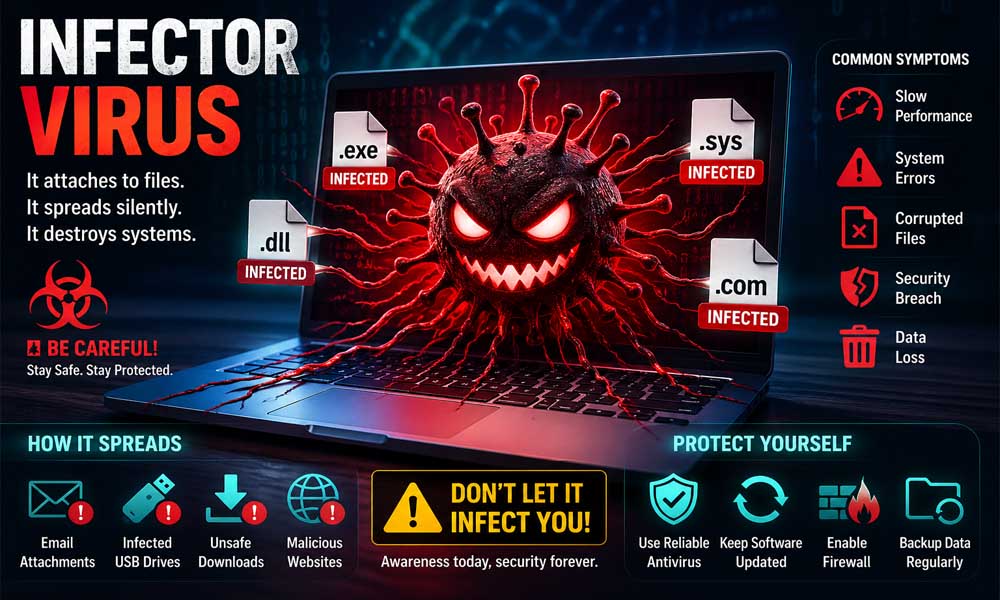
Have you ever opened a simple file and felt like your computer suddenly started acting strange? Maybe it slowed down, froze, or showed odd errors. Many people think it’s just a small glitch. But sometimes, it can be something much more serious.
This is where the infector virus comes in. It hides inside normal files and waits for the right moment to attack. The scary part? You may not even notice it at first.
In this article, we will talk about what an infector virus is, how it enters your computer, how it spreads, and why it can be dangerous. Don’t worry—we’ll keep everything simple and easy to understand, just like a friendly guide in 2026.
What Is an Infector Virus?
An infector virus is a type of computer virus that targets program files. These are files your computer uses to run apps, like .exe or .dll files. When these files get infected, the virus becomes part of them.
Think of it like this. Imagine you download a game. The game looks normal. But inside it, there is hidden harmful code. When you open the game, both the game and the virus start running together. That’s how an infector virus works.
The dangerous thing about an infector virus is that it spreads quietly. It doesn’t always show clear signs right away. It keeps moving from one file to another, slowly taking over your system.
How the Infector Virus Enters Your Computer
You might be wondering, “How does an infector virus even get into my computer?” The truth is, it often enters through simple everyday actions.
For example, downloading free or cracked software from unknown websites is one of the biggest risks. These files may look safe, but they can carry hidden viruses. Once you open them, the infector virus starts its work.
Another common way is through email attachments. You might get an email that looks normal, maybe even from someone you know. But if you open an unsafe attachment, it can infect your system. USB drives and shared files can also carry an infector virus without you knowing.
How Infector Virus Attaches to Files
Once inside your computer, the infector virus does something very clever. It attaches itself to real program files. These are the files your system needs to work properly.
It changes the code of these files in a hidden way. But here’s the tricky part—it keeps the file looking normal. The file name, size, and function may not change much. So you don’t suspect anything.
Now, every time you open that program, the virus runs along with it. You think you are just opening a normal app, but the infector virus is also active in the background.
How Infector Virus Spreads in Your System
The real danger of an infector virus begins after it becomes active. Once you run an infected file, the virus starts looking for other files to infect.
It scans your system for more executable files. Then it attaches itself to them, just like it did before. This process keeps repeating again and again. That’s how it spreads so fast.
For example, you open one infected file today. Tomorrow, many more files may already be infected. If you connect a USB or share files with another device, the virus can move there too. This is how it can spread across systems and even networks.
Types of Infector Virus You Should Know
Not all infector viruses are the same. There are different types, and each one works in its own way. Knowing these types can help you understand the risks better.
The first type is the macro virus. This virus targets documents like Word or Excel files. It spreads through emails and shared documents. When you open the file, the virus runs automatically.
The second type is the system infector virus. This one attacks the boot sector of your computer. It can affect how your system starts. While it is less common today, it was very harmful in the past.
There is also the sparse infector virus. This type infects only a few files at a time. It spreads slowly to avoid being noticed. Because of this, it can stay hidden for a long time.
Finally, there is the multipartite virus. This is the most complex type. It can infect both files and the system’s boot area. This makes it harder to remove and more dangerous overall.
Why Infector Virus Is So Dangerous
You might think, “It’s just a virus, I can remove it later.” But an infector virus is not that simple. It is dangerous because of how it behaves.
First, it spreads silently. You may not notice anything until it has already infected many files. By the time you see a problem, it may be too late.
Second, it can damage important files. These files may be needed for your system to work properly. If they get corrupted, your programs may stop working or your system may crash.
Another reason it is dangerous is that it keeps coming back. Even if you remove one infected file, others may still be infected. This makes it harder to fully clean your system.
How Infector Virus Avoids Detection
One of the smartest things about an infector virus is how it hides itself. It uses special tricks to avoid being caught by antivirus tools.
For example, it may change its code again and again. This is called polymorphism. Because the code keeps changing, it becomes harder for security software to recognize it.
Some infector viruses also hide in your computer’s memory. This means they don’t need the original file to keep running. They stay active in the background without showing clear signs.
They can also keep the file size almost the same after infection. So when you check the file, everything looks normal. This makes it even harder to detect early.
Damage Caused by Infector Virus
Now let’s talk about what really happens when an infector virus takes control of your system. At first, things may look normal. But slowly, problems begin to show.
One common issue is a slow computer. Apps take longer to open. Files may freeze or stop working. This happens because the infector virus keeps using your system in the background. It spreads and runs again and again, which puts pressure on your computer.
In more serious cases, it can damage important files. Imagine opening your favorite app, and it suddenly crashes every time. Or worse, your files become unreadable. Some infector virus attacks can even delete files or format your hard drive. This means you can lose everything in seconds.
Infector Virus vs Other Malware
You may have heard about worms, Trojans, or ransomware. So how is an infector virus different from them? Let’s keep it simple.
An infector virus needs you to open an infected file. It cannot spread on its own without your action. But once you run the file, it spreads fast inside your system by infecting other files.
A worm is different. It spreads on its own through networks. A Trojan pretends to be safe software, like a fake app. Ransomware locks your files and asks for money. Each type works in a different way. Knowing the difference helps you stay safe.
Warning Signs of Infector Virus Infection
So how do you know if your system has an infector virus? There are some clear signs you should watch for.
First, your computer may become very slow. Even simple tasks may take longer than usual. Programs may crash or stop working properly. This can be a sign that files are already infected.
You may also notice strange pop-ups or error messages. Files may not open, or they may behave in odd ways. Sometimes, your antivirus may show alerts. If you see these signs, it’s time to act quickly before the infector virus spreads more.
How to Remove an Infector Virus Safely
If you think your system is infected, don’t panic. You can remove an infector virus safely if you act the right way.
Start by using trusted antivirus software. Run a full system scan. This helps find all infected files. The software will guide you to remove or fix them safely.
Avoid trying random fixes from unknown sources. This can make things worse. In some cases, you may need to restore your system to an earlier state. If the damage is too big, a clean system reset may be the best option. Always make sure your important data is backed up before taking big steps.
How to Protect Your Computer from Infector Virus
Prevention is always better than fixing a problem later. You can stay safe from an infector virus by following some simple steps.
Always use reliable antivirus software with real-time protection. This helps stop threats before they enter your system. Keep your system and apps updated. Updates fix security gaps that viruses use to enter.
Also, be careful with downloads. Only download from trusted websites. Avoid cracked software or unknown files. Turn on your firewall to block unwanted access. These small steps can protect your system in a big way.
Simple Tips to Stay Safe Every Day
Staying safe from an infector virus is not hard if you build good habits. Think of it like daily care for your computer.
Before opening any file, ask yourself: “Is this safe?” If you are not sure, don’t open it. Avoid clicking unknown links, especially in emails or messages. These can lead to infected downloads.
You can also make it a habit to scan files before opening them. Use strong passwords and keep your data backed up. When you stay alert, you reduce the risk of infection a lot.
Conclusion
Now you understand what an infector virus is and why it can be dangerous. It hides inside normal files and spreads when you least expect it. That is what makes it so risky.
But the good news is, you can stay safe. When you understand how it works, you can stop it early. Simple steps like safe downloads, regular updates, and antivirus protection make a big difference.
In 2026, digital safety is more important than ever. Your computer holds your work, memories, and personal data. So take care of it. Stay aware, stay smart, and keep your system protected from any infector virus.
(FAQs)
What is an infector virus in simple words?
An infector virus is a type of computer virus that attaches itself to program files like .exe or .dll. When you open the file, the virus runs too and starts spreading to other files on your computer.
How does an infector virus spread so fast?
An infector virus spreads when you open an infected file. After that, it scans your system and infects other files. If you use USB drives or share files, it can spread to other devices as well.
Can an infector virus damage all my files?
Yes, in some cases. An infector virus can corrupt files, delete important data, or make programs stop working. If it spreads too much, it can affect most of your system files.
What are the first signs of an infector virus?
Some early signs include slow computer speed, programs crashing, files not opening properly, and strange pop-ups. These signs may seem small at first but can get worse quickly.
Is an infector virus different from a Trojan or worm?
Yes, it is different. An infector virus needs you to open an infected file to spread. A worm spreads automatically, and a Trojan pretends to be safe software to trick you.
Can antivirus software remove an infector virus completely?
In most cases, yes. A good antivirus can detect and remove infected files. But if the virus has spread a lot, you may need to restore your system or reset it to fully clean it.
How do infector viruses enter my computer?
They usually enter through unsafe downloads, email attachments, infected USB drives, or fake software. Opening these files allows the infector virus to start working.
Are infector viruses still a threat in 2026?
Yes, they are still a real threat. Even in 2026, new versions of infector virus exist with better hiding techniques, making them harder to detect and remove.
Can I get an infector virus just by browsing websites?
Usually, no. But if you download or run unsafe files from a website, you can get infected. So always avoid clicking or downloading from unknown sites.
What is the best way to stay safe from an infector virus?
The best way is to use trusted antivirus software, avoid unknown downloads, keep your system updated, and always scan files before opening them. Staying careful is the key.
You may also read: NS Mainframe: How This Powerful Tech Keeps Trains and Logistics Running